
How Phishing Works and How to Defend Against It
0. Safety Statement
This article and the related lab material are intended for education and defense only. The goal is to explain how phishing works, why it is so common, and how individuals can protect themselves. Any demonstration should be performed only in a controlled environment, without targeting real users or collecting real credentials. This content does not support or encourage illegal or unethical activity.
1. Introduction and Outline
Phishing is a form of social engineering in which attackers impersonate trusted people or organizations to trick victims into revealing sensitive information such as credentials, verification codes, banking details, phone numbers, or email addresses.
What makes phishing dangerous is not necessarily technical sophistication, but its ability to exploit human psychology: trust, urgency, fear, and curiosity.
Outline
- Research question and hypothesis
- Why phishing is so common
- Common attack patterns
- What attackers collect and how they use it
- Defensive actions from the victim’s perspective
- Lab section: DNS poisoning with open-network risk (defense-focused)
- Conclusion
2. Research Question and Hypothesis
Research question: Why is phishing one of the most common cyberattacks?
Hypothesis: Phishing remains widespread because it is relatively cheap to carry out while still being highly effective at manipulating people.
3. Why Phishing Is So Widespread
3.1 Many Delivery Channels
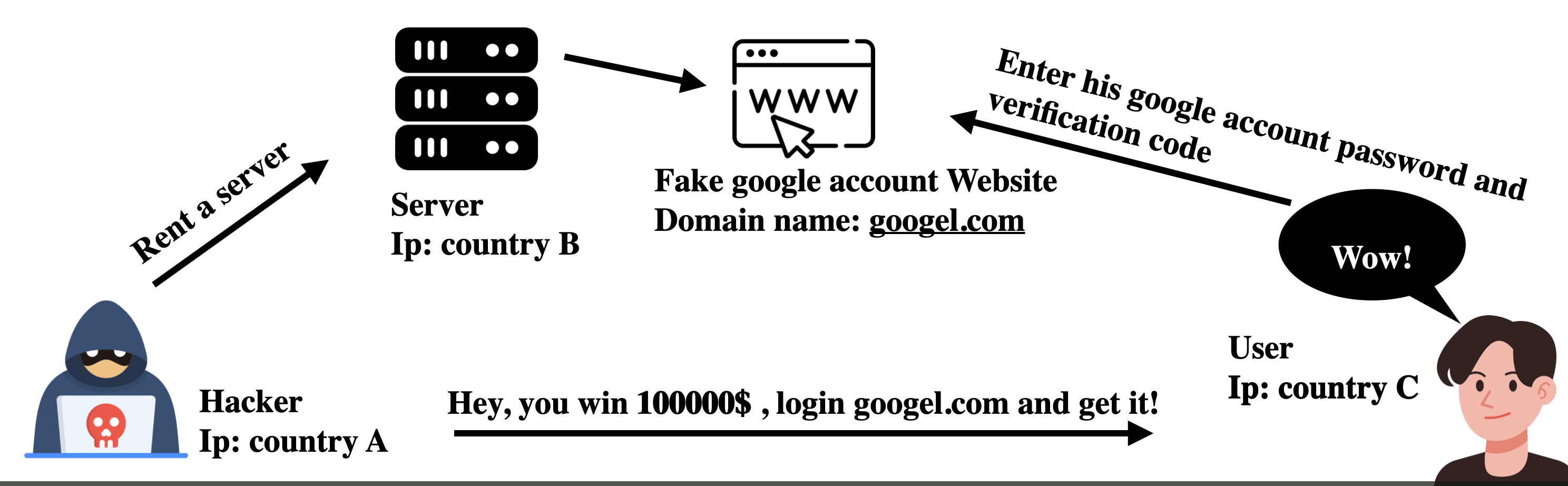
Phishing can appear across almost any digital channel, including email, SMS, messaging apps, QR codes, social media, search ads, and even open Wi-Fi portals.
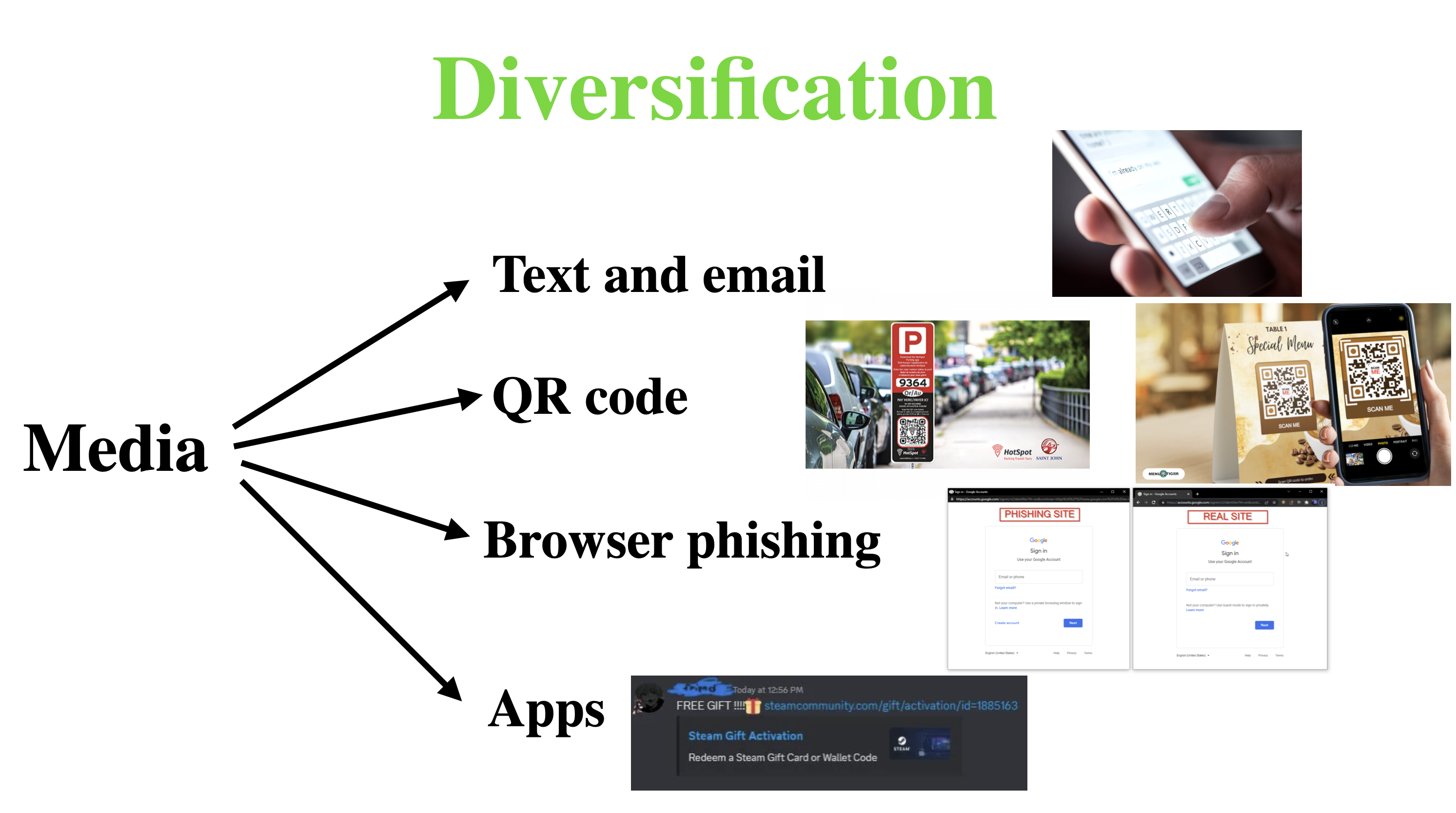
Typical examples:
- Email phishing: messages that impersonate banks, delivery services, or online platforms with warnings such as “your account has been locked.”
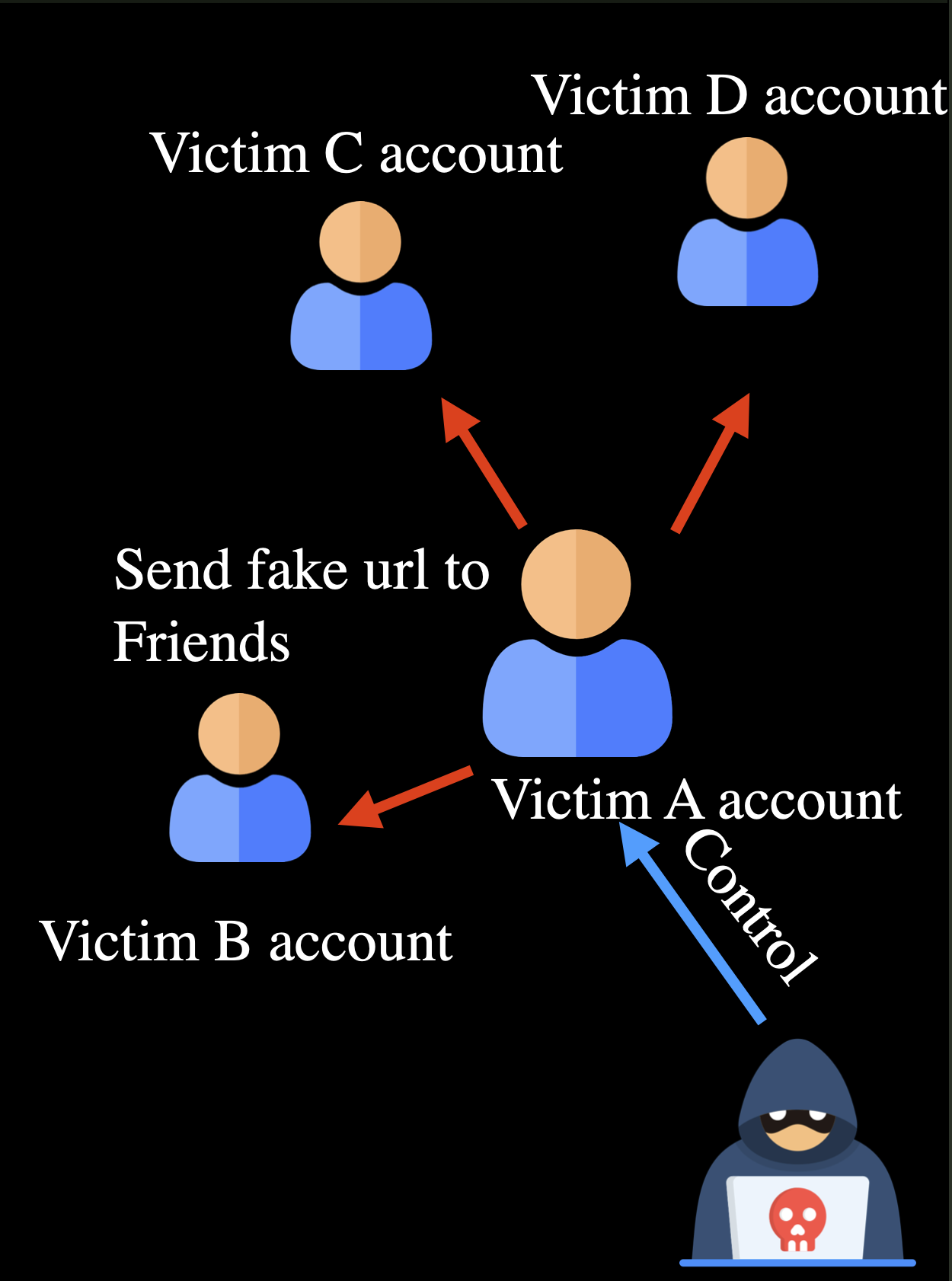
- Impersonating contacts: compromised social accounts send fake links to friends or group chats.
- Third-party lures: unsafe Wi-Fi portals, unknown QR codes, and suspicious short links that lead users to fraudulent pages.
3.2 Low Barrier to Launch
Compared with direct system compromise, phishing depends more on imitation and social pressure than on deep technical exploitation, which makes it easier to scale.
3.3 Strong Stealth
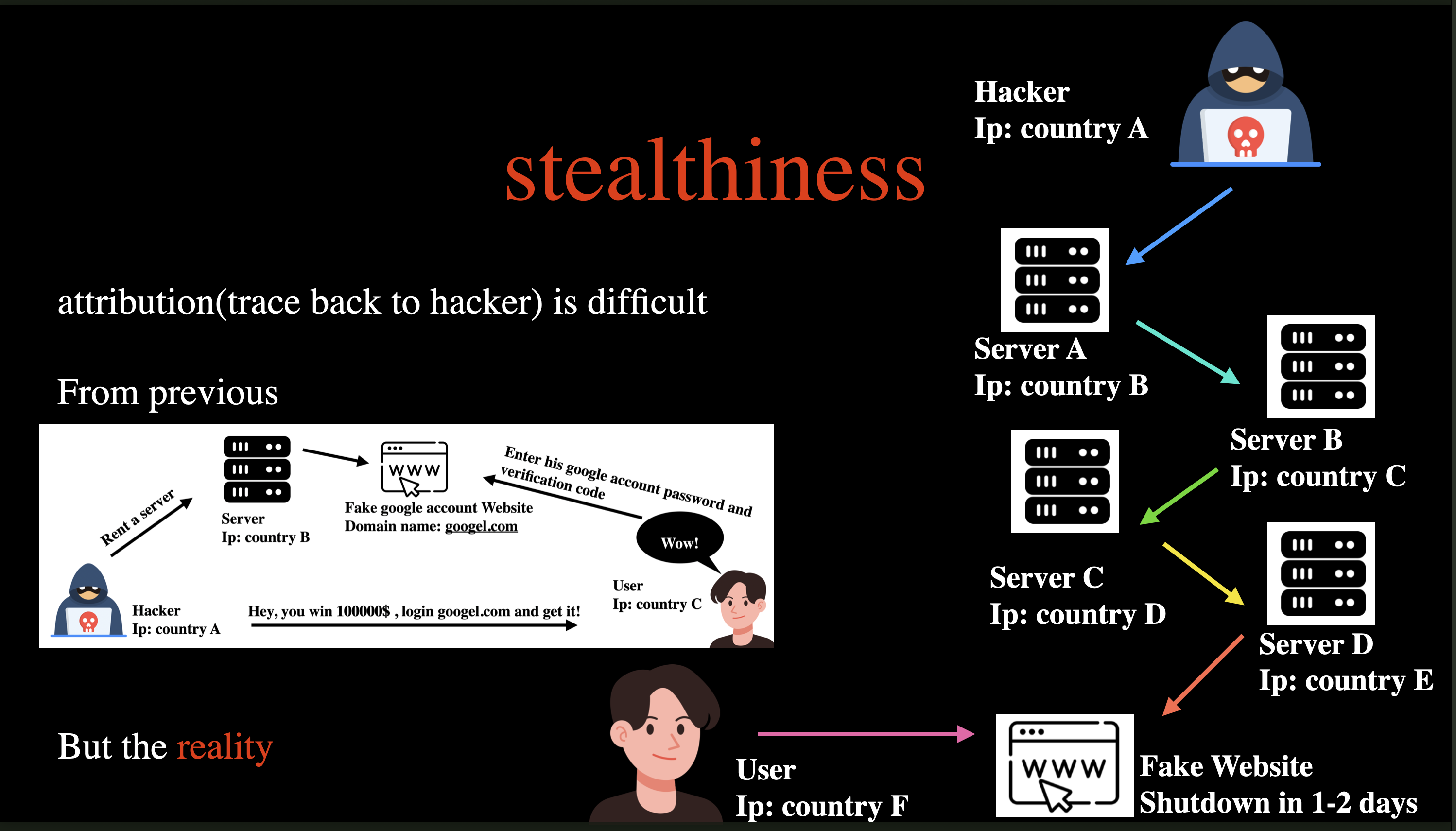
Attackers often hide behind relays, short-lived domains, and disposable infrastructure, which makes attribution far more difficult.
3.4 High Virality
Once a social account is compromised, phishing messages can spread quickly through the victim’s contacts and communities.
4. What Information Do Attackers Want, and How Do They Use It?
4.1 Banking Credentials
These are among the most valuable targets. If one-time codes or other MFA factors are also exposed, the risk of financial loss rises sharply.
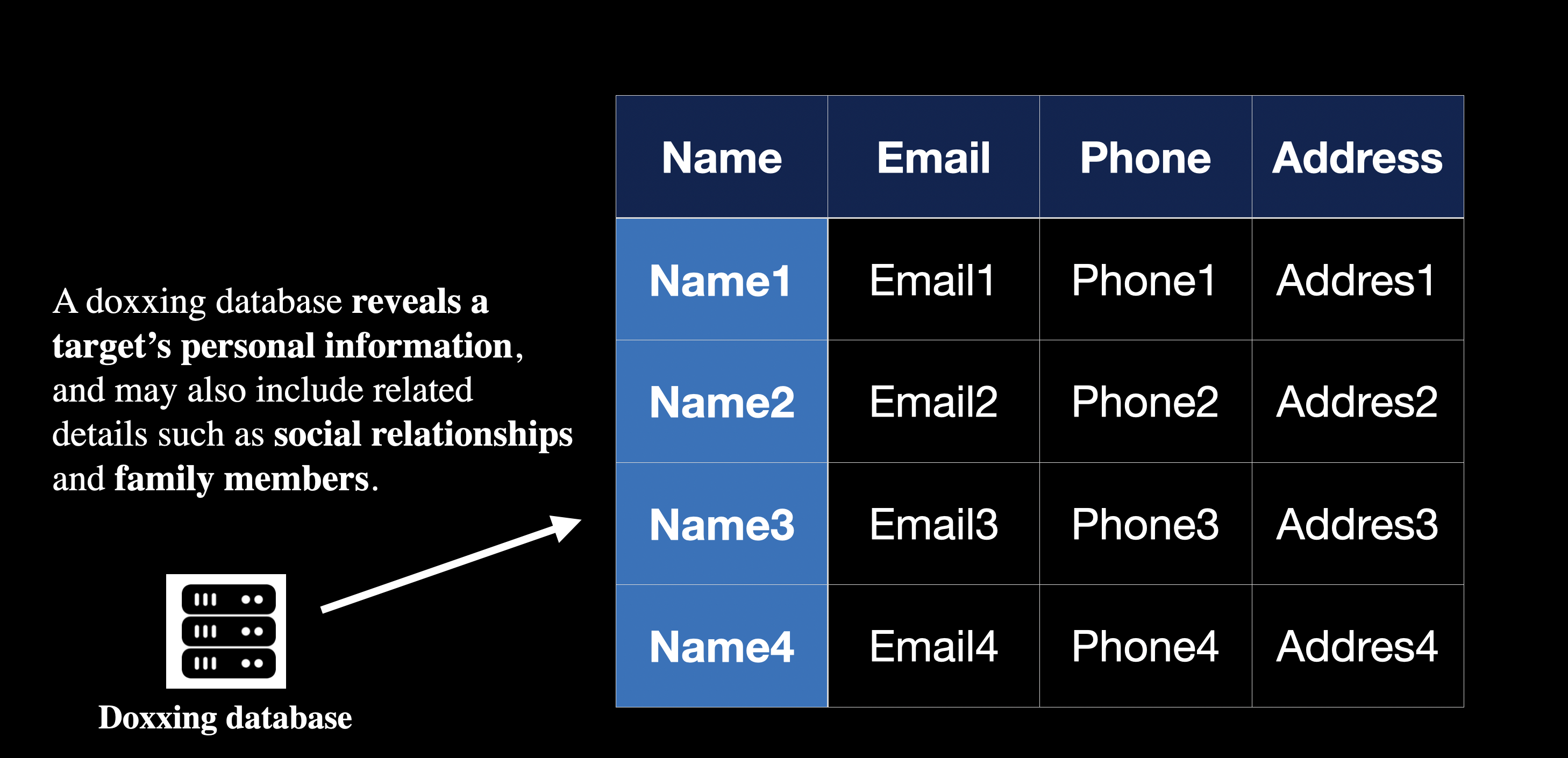
4.2 Phone, Email, and Personal Data
Even when there is no immediate financial loss, personal data can still be aggregated and abused over time for targeted scams, account recovery abuse, and identity profiling.
4.3 Gaming and Social Accounts
Compromised accounts are often resold, stripped of virtual assets, or used to continue scams under the victim’s identity.
5. Defending Yourself as a Potential Victim
5.1 Verify the Domain Carefully
- Focus on the primary domain rather than the logo or page design.
- Watch for typo domains, unusual suffixes, and misleading subdomains.
- Whenever possible, type official URLs manually instead of opening login links from messages.
5.2 Inspect Page Details
- Poor layout, awkward wording, and broken interactions are common warning signs.
- Stop immediately if a page asks for sensitive information that does not fit the situation.
- Treat any forced plugin or software download as high risk.
5.3 Resist Urgency Pressure
- Messages like “act within 24 hours” or “claim now” are classic social engineering triggers.
- The more urgent the message feels, the more important it is to slow down and verify the source first.
5.4 Strengthen Baseline Security
- Enable MFA on important accounts.
- Use unique passwords across services and manage them with a password manager.
- Keep your browser, operating system, and security tools up to date.
5.5 What to Do If You Suspect Exposure
- Change passwords immediately through official channels and revoke active sessions.
- Check whether recovery email addresses, phone numbers, or other account settings were changed.
- Review recent sign-in history, transaction activity, and connected devices.
- Contact the platform or bank as soon as possible to trigger protective controls.
6. Lab Section: DNS Poisoning + Open Network Phishing Risk
This section is intentionally non-operational. It explains risk mechanics and defense only, without reproducible attack steps or malicious deployment details.
6.1 DNS and IP: Core Relationship
DNS translates domain names into IP addresses. If DNS responses are poisoned or hijacked, users can be redirected to malicious servers even when they type the correct domain.
6.2 Hak5 Tools Mentioned in Security Training
Hak5 devices are commonly used in red-team simulations and security awareness labs to demonstrate the risks of insecure networks. This post does not provide offensive setup details.
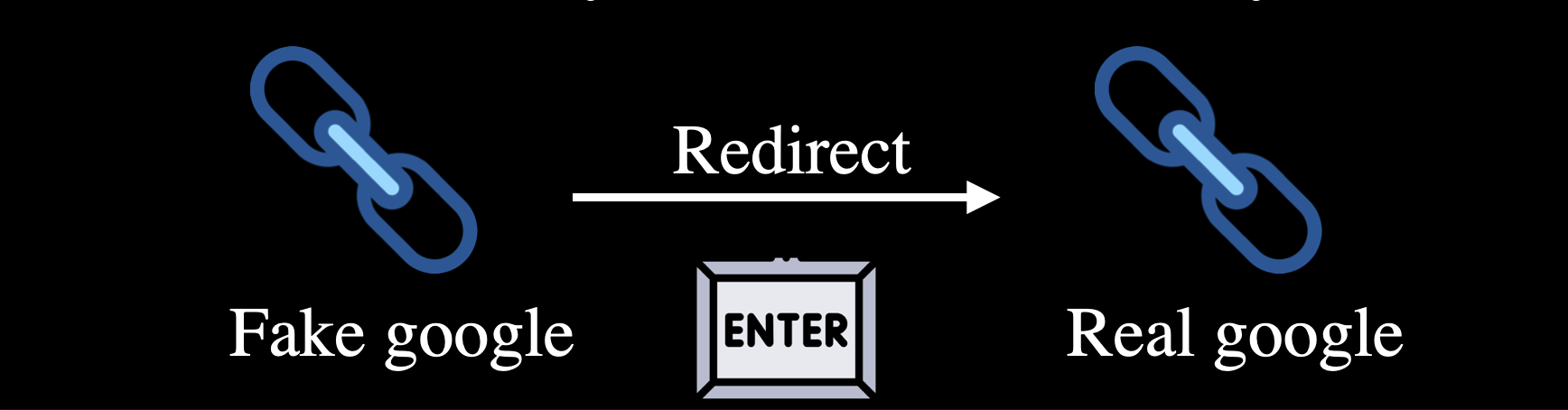
6.3 Victim-Side Flow (High-Level)
- The victim connects to an untrusted open network.
- The DNS lookup is manipulated, and traffic is redirected to a fake page.
- After entering credentials on the fake page, the victim is redirected to the real site to reduce suspicion.
6.4 Defending Against Open-Network Attacks
- Avoid logging into banking, email, or administrative systems on open Wi-Fi.
- Disable auto-join for public hotspots.
- Prefer cellular data or a trusted VPN for sensitive activity.
- Use official apps whenever possible and verify both HTTPS and the domain name.
6.5 Defending Against DNS Poisoning
- Use trusted DNS resolvers and enable DoH/DoT when available.
- Deploy DNS monitoring and alerting in enterprise environments.
- Block confirmed malicious IPs and domains at the network gateway when possible.
- If suspicious redirects occur, clear the DNS cache and re-check the site on a trusted network.
The following command block is a defensive example for use in a lab or at a network gateway. It blocks forwarding traffic to known suspicious IPs:
IPS="23.6.97.82 184.25.61.10 96.17.217.23 104.69.134.132 23.56.122.201 23.51.195.238" |
7. Conclusion
Phishing is, at its core, an attack on human judgment. The most effective defense is layered: awareness, verification habits, least privilege, and fast incident response. A simple habit of verifying before you click or enter data will stop most phishing attempts before they succeed.